

Prerequisite: your cluster must have the Challenge feature enabled. This feature is enabled on all OGO public clusters.
Purpose
The Challenge is a modern and less intrusive version of a CAPTCHA. It protects certain parts of a website from script or bot abuse by requiring users to solve a problem (a Proof-of-Work "PoW") in order to gain access to specific areas of the site.
Warning: the Challenge feature cannot be used with Server-to-Server communications, XHR APIs, or most indexing bots.
Enabling the Challenge
The Challenge can be enabled at the level of an access control rule within a site's configuration.
You can therefore activate a specific challenge mode for all paths designated by a rule.
Challenge Modes
Disabled: No challenge is presented to access the designated paths.
Managed: The OGO Brain decides whether a challenge must be solved by the user to access the designated paths.
A challenge may be triggered if:An anomaly that triggers a challenge is detected
The user’s credibility score falls below the “Challenge Threshold” (configurable in the site’s Expert mode)
Forced: An interactive challenge must be solved to access the designated paths.
Challenge Types
There are 2 types of challenges:
Transparent: Automatic JS + PoW challenge, with no user interaction. In Managed mode, the Brain may trigger this type of challenge.
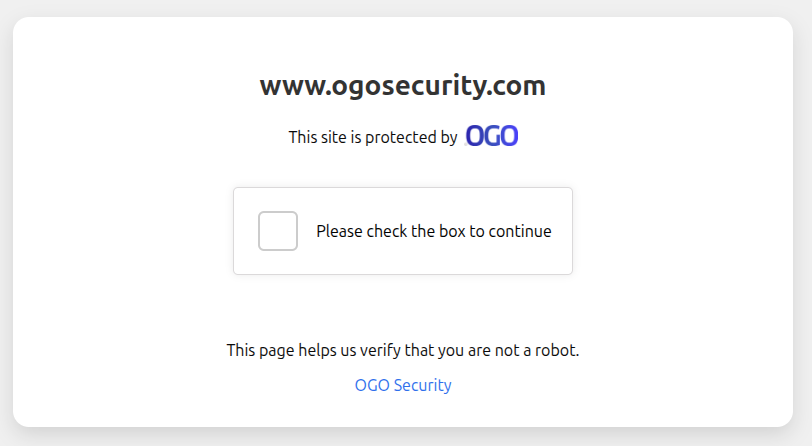
Interactive: An interactive challenge requiring the user to click a checkbox, followed by a JS + PoW challenge. This is the challenge used in Forced mode.
Validation and Session
When the Challenge is successfully completed:
A secure session cookie is issued to the user
This cookie allows access to Challenge-protected resources on the site without being re-challenged for 12 hours
Known Limitations
The Challenge requires a modern browser.
It is incompatible with:
Internet Explorer
Non-Chromium Microsoft Edge versions prior to 2018 (Chakra engine)
Firefox, Chrome, and Safari versions released before 2014