

All the sites to which you have access (as site administrator or simple reader) are listed on this page.
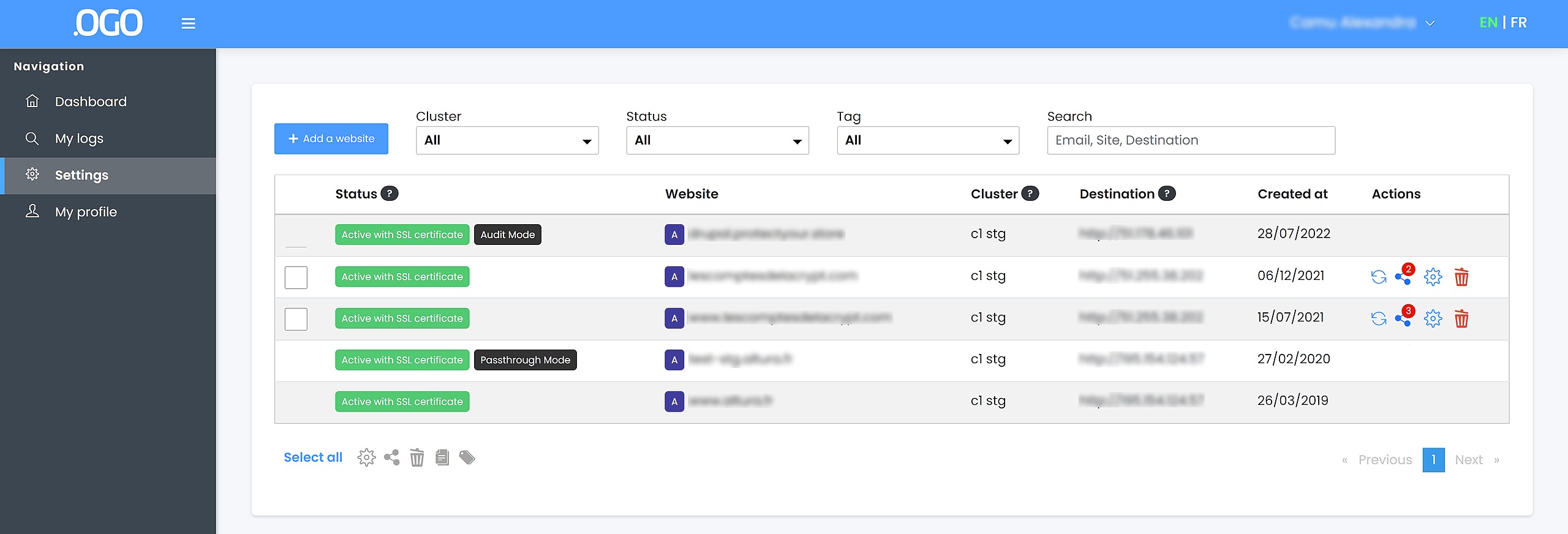
NB : Read-only sites do not have icons in the "Actions" column.
Websites status :
The website status column indicates the status of your websites at any time. The possible statuses are :
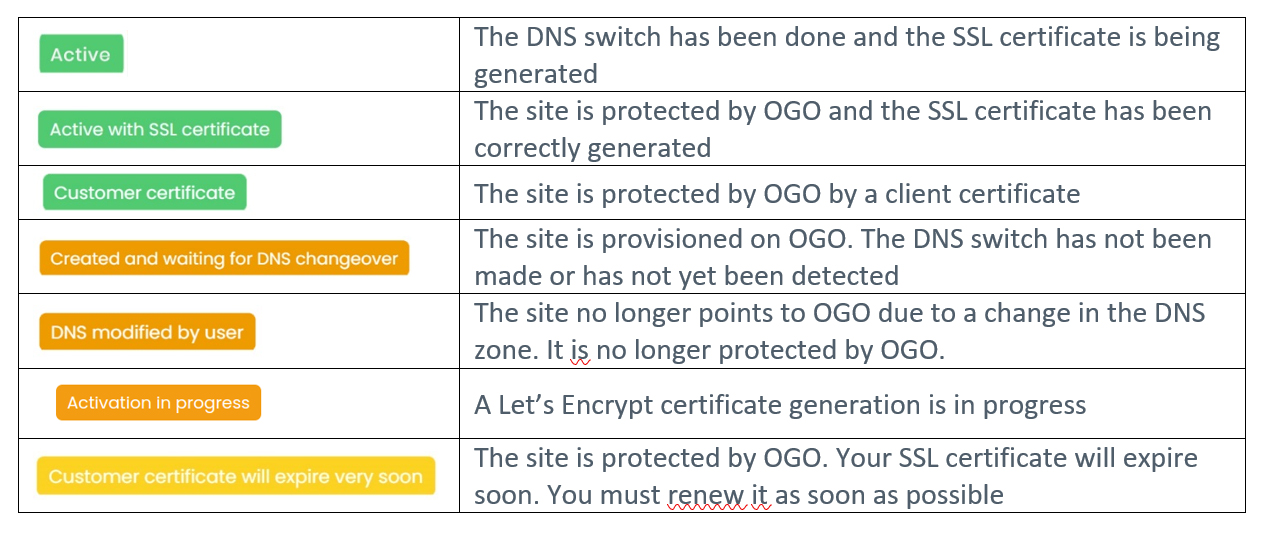
Warning: if you use a CAA field in your DNS zones, it will be necessary to add letsencrypt.org.
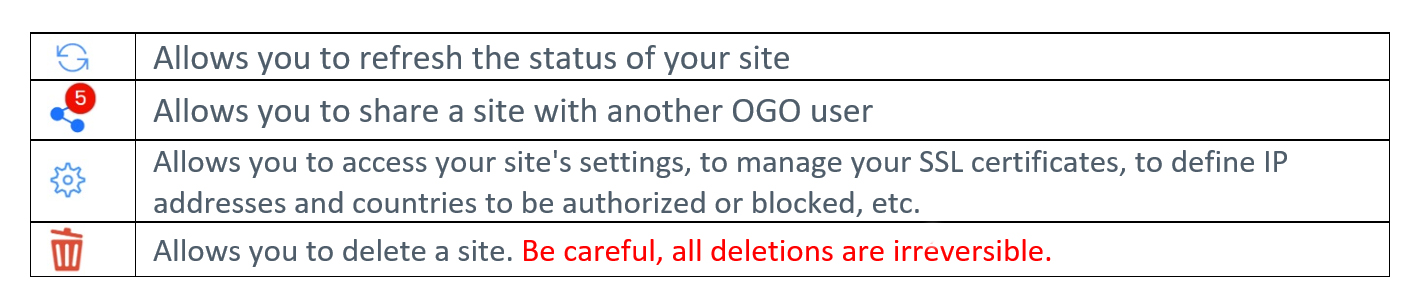
Actions on the sites :
In front of the name of website, there are 4 icons:
Multiple actions :
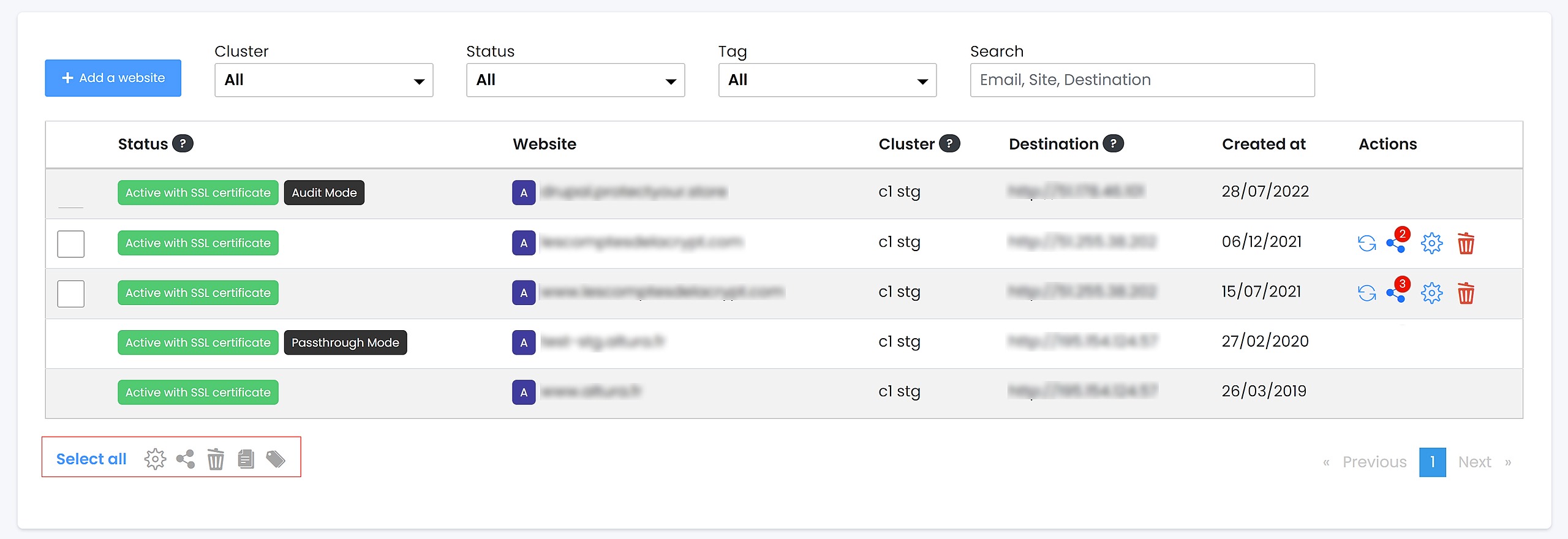
The 5 icons (framed in red, above) on the left, under the table, allow you to do actions on several sites simultaneously. The actions you can do are the following:
- Enable/disable the "Audit" and/or "Passthrough" modes,
- Create sharings to other users,
- Delete sites,
- Import SSL certificates
- Create a tag simultaneously for several sites
To do this, select the sites you want to edit simultaneously, using the checkboxes on the left of the status column, and select the action you want to do.